Publish & share
Overview
A survey has to be published before anyone can answer it. The moment you publish, a short link is created automatically — that's the respondent-facing URL you share to collect responses.
When to use it
- Your survey is ready and you want to start collecting responses.
- You need a link to send by email, chat, or QR code.
Before you start
- Finish and preview the survey first — you can't collect responses on a draft.
- Configure Settings (end date, submit once) before publishing.
Step by step
-
Open the survey you want to share.
-
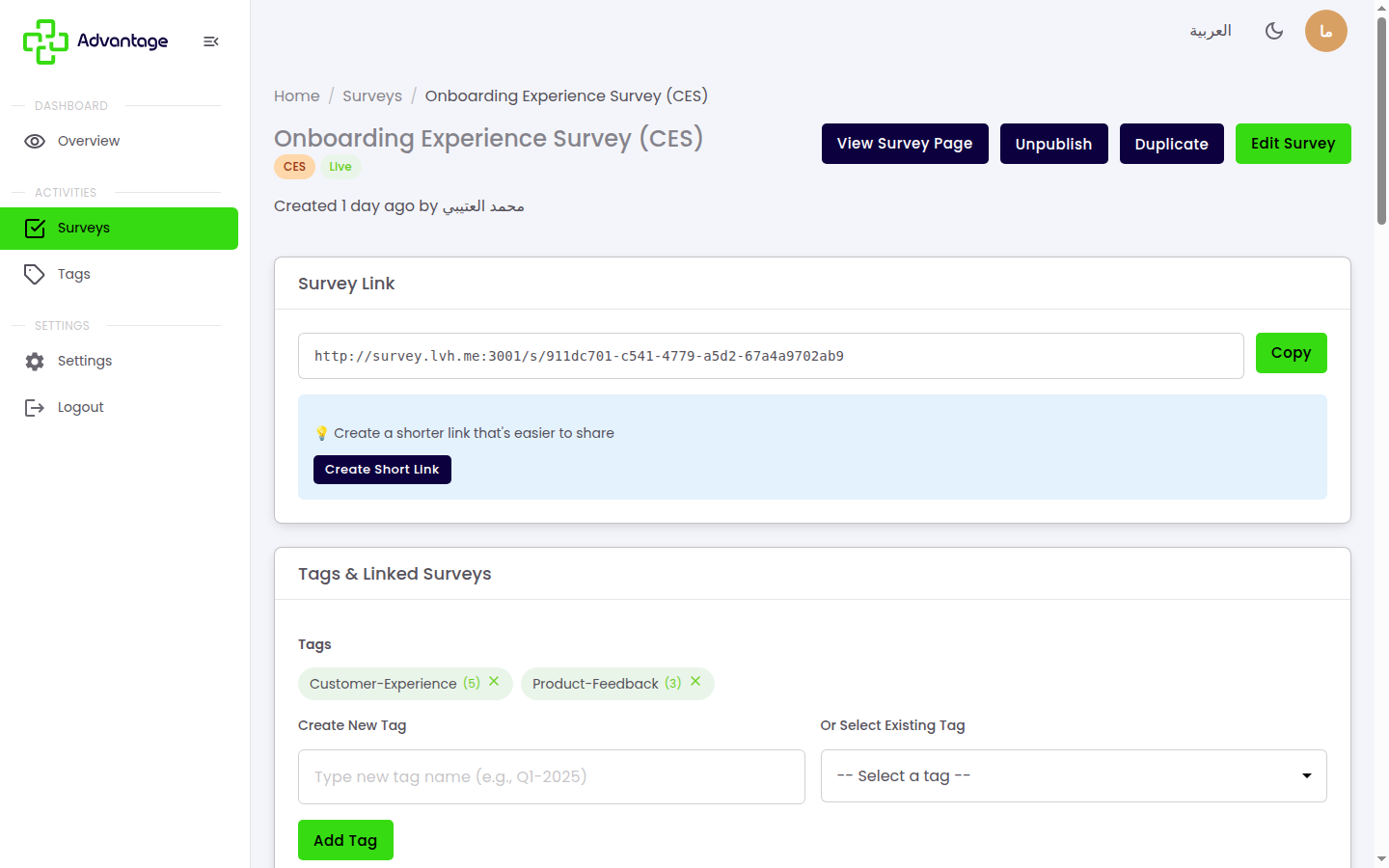
Choose Publish to make the survey live. Publishing auto-creates a short link.
-
Copy the link and share it by email, chat, or QR.
-
Choose Unpublish later to take the survey offline and stop collecting responses.
What a respondent sees
Opening the link, a respondent answers the questions and then taps Submit. They may instead land on one of these pages:
- Not found (404): the survey doesn't exist or was deleted.
- Not published (403): the survey isn't live yet.
- Expired (410): the end date has passed and the survey is closed.
- Already submitted: the survey has submit once on and this respondent already submitted (recognized by IP address and browser cookie).
If a respondent leaves mid-survey, their answers are saved partially and they can resume when they return from the same browser.
Good to know
What's the difference between draft and published? Only published surveys collect responses. A draft is still being worked on and isn't open to respondents.
What is the short link? It's the address respondents open to answer your survey. It's created automatically when you publish and gives you click tracking too, so you can see how many people opened it.
Tips & pitfalls
Tip: Preview the survey before publishing so respondents see exactly what you intend.
Warning: Unpublishing immediately stops the survey from accepting new responses.
Warning: Editing a published survey and republishing it can destroy in-progress responses that haven't been submitted yet — republish carefully once collection has begun.