Create a smart link (multiple destinations)
Overview
A smart link routes each visitor to a different destination based on rules — so one link can send people to the right place automatically.
When to use it
- You want one link that opens the correct app store per device (App Store vs Google Play).
- You want to send visitors to a page in their own language or country.
Before you start
- Have a Fallback URL ready — it's used for anyone who doesn't match a rule.
- Decide which single routing type you need: device type, location, or language — they can't be combined on the same link.
Step by step
Say you want a single "Noon App — Download" link that routes each visitor to the right place automatically.
-
Open Create Link and choose Multiple Destinations. Give the link a name ("Noon App — Download") and set a Fallback URL (
https://www.noon.com/saudi-en/) — used for anyone not matching a rule. Then pick one routing type to redirect based on: Device Type, Geographic Location, or Language — choosing one reveals its destination fields. In this example, Device Type is chosen, with the App Store (iOS) and Google Play (Android) URLs filled in (the other device rows — iPad, Huawei, Mac, Windows — are optional). Set a custom back-half ("noon-app-en") and choose Create.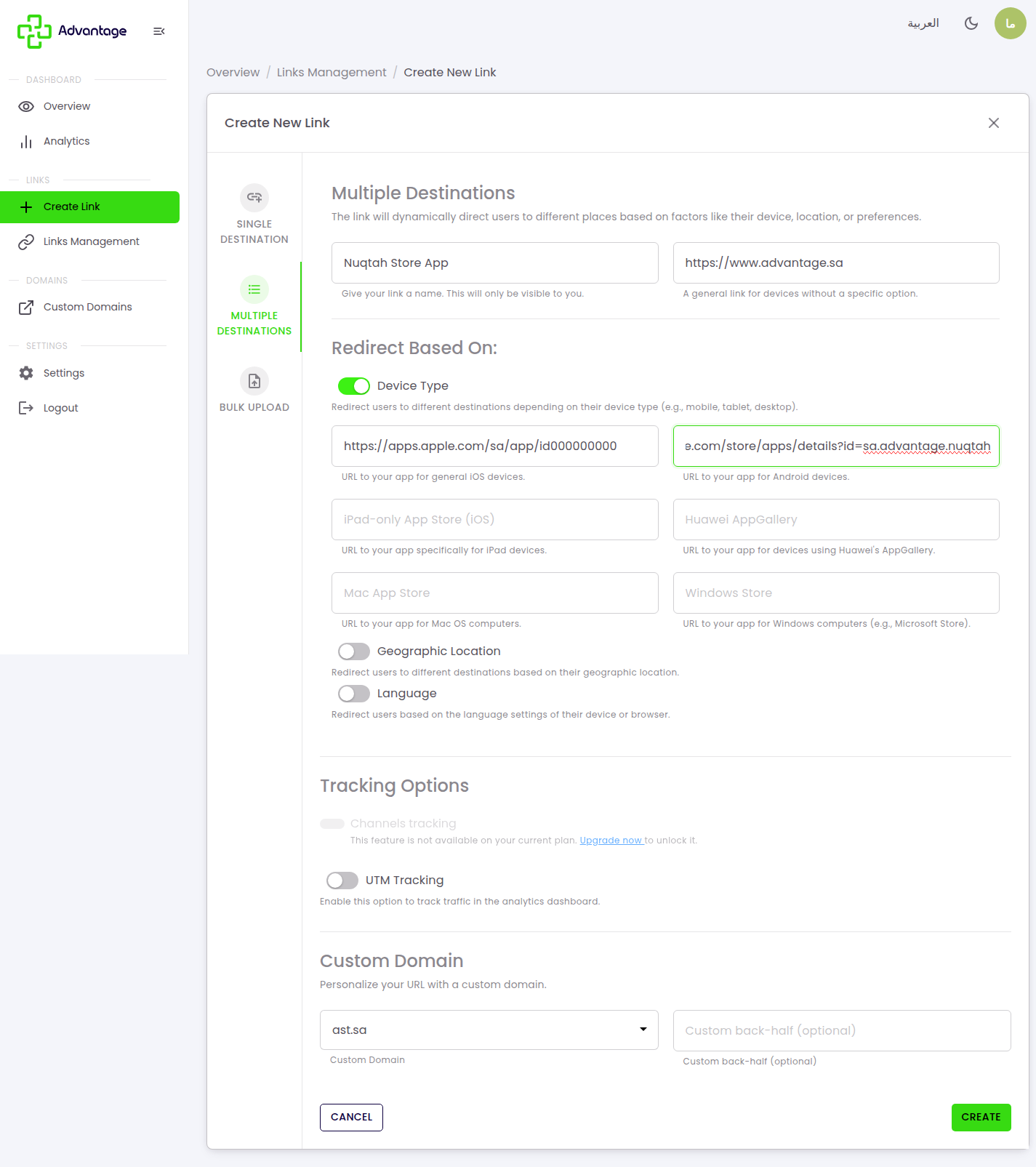
-
A success page confirms the smart link was created on
ast.sa, ready to share.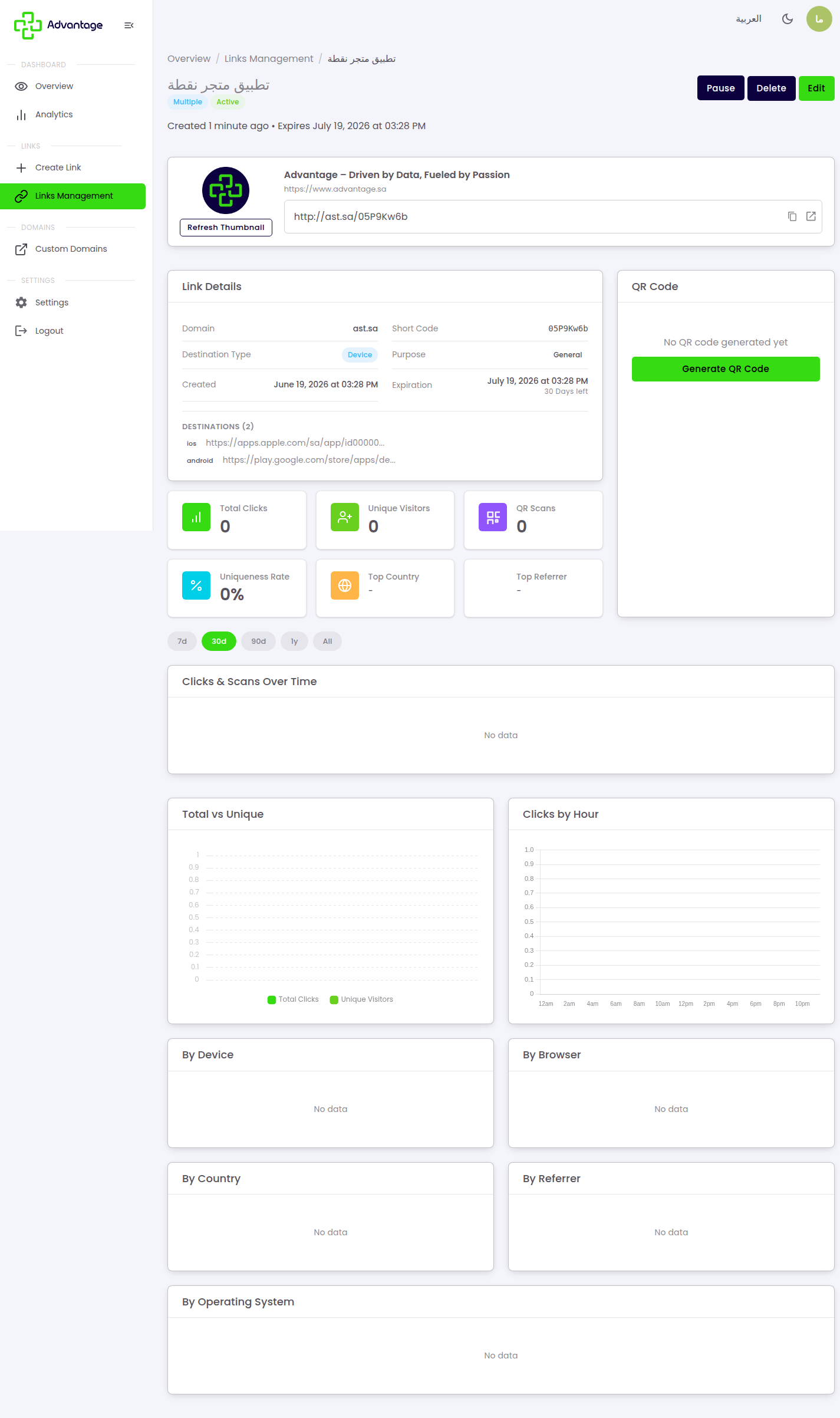
Some tracking options may be locked depending on your plan. UTM tags are small codes added to the end of a link to track where a visit came from (see Glossary). Channels tracking may show "This feature is not available on your current plan — Upgrade now" unless your plan includes it.
Good to know
What do the three routing types do?
- Device — send iPhone users to the App Store, Android users to Google Play, and everyone else to the fallback.
- Location — send visitors in different countries to localized pages.
- Language — send Arabic vs English browsers to the matching page.
What is the Fallback URL for? It's the required fallback (the UI labels it "Fallback URL") that catches anyone who doesn't match any rule — so the link always works. Always set one.
Can I combine routing types? No. Each smart link uses exactly one routing type: Device or Location or Language. Pick the one that fits your campaign; if you need more, create separate links.
Does a link have other purposes? Yes. Besides a regular destination, a link's purpose can also be a survey or a deep-link that opens an app directly.
What's a common use for a smart link? One link that opens the right app store per device — iPhone users go to the App Store, Android users go to Google Play.
Tips & pitfalls
Tip: Always set a sensible Fallback URL so no visitor hits a dead end.
Warning: Test each rule on a real device before sharing the link widely.
Next steps
- Create a normal link — if you only need a single destination.
- Analytics — to track how visitors are routed.