Custom domains
Overview
Use your own branded domain — like links.advantage.sa — for your short links instead of the default domain.
When to use it
- You want links that show your brand instead of a generic domain.
- You're running a campaign where a recognizable link builds trust.
Before you start
- You need access to your domain's DNS settings at your domain provider.
- Domain registration goes through Cloudflare and can stay "pending" or fail verification.
- The number of custom domains you can add is capped by your plan's quota.
Step by step
Say you want short links to run on your own subdomain, links.advantage.sa.
-
Open Custom Domains. You'll see the default domain (
ast.sa) and any custom domains you've already added — here,links.advantage.sais shown pending verification. Choose Add Domain to start.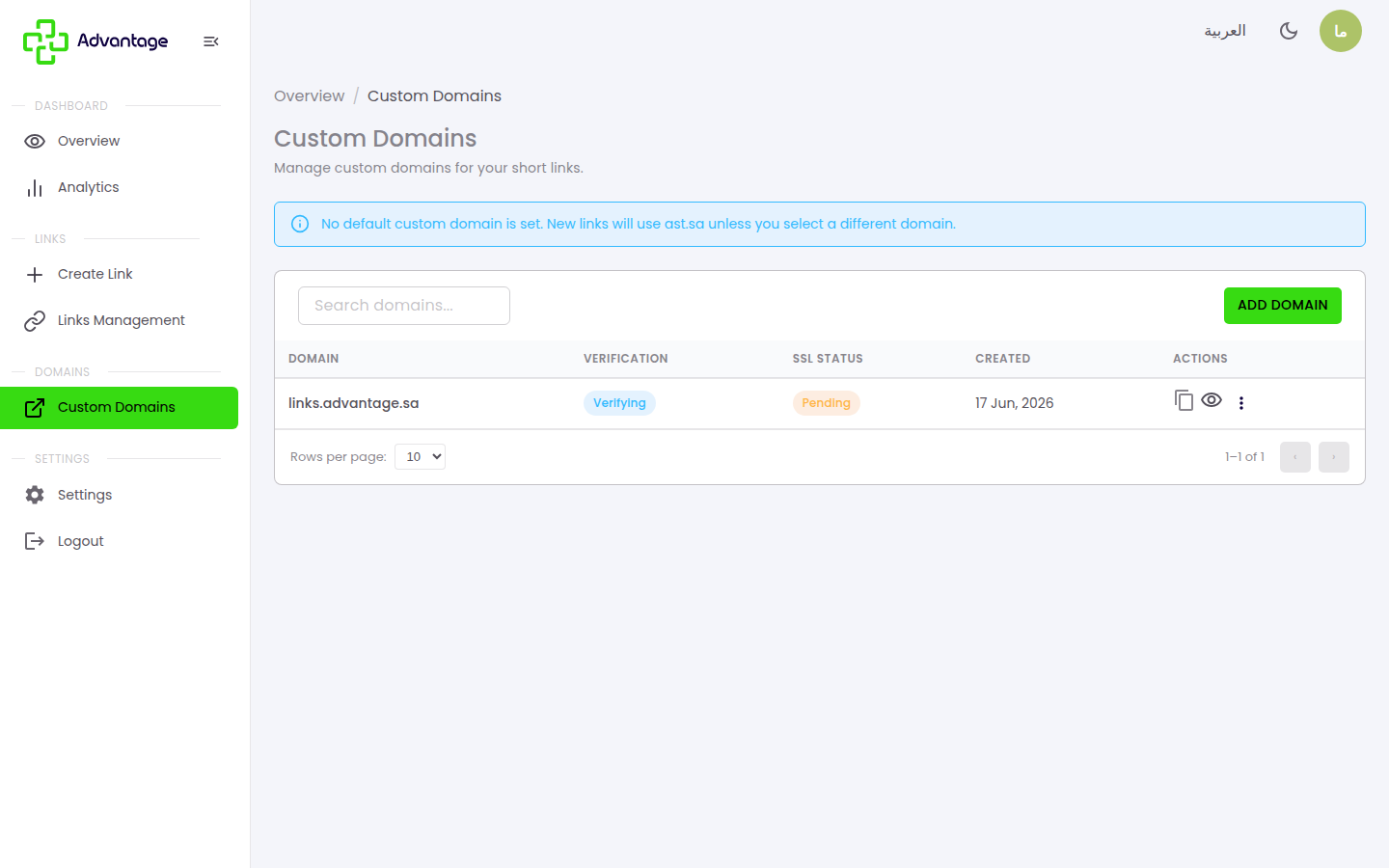
-
In Enter Domain, type the subdomain you want for short links (example:
links.advantage.sa) and choose Add Domain. A subdomain (likelinks.orgo.) is recommended — it works with all DNS providers.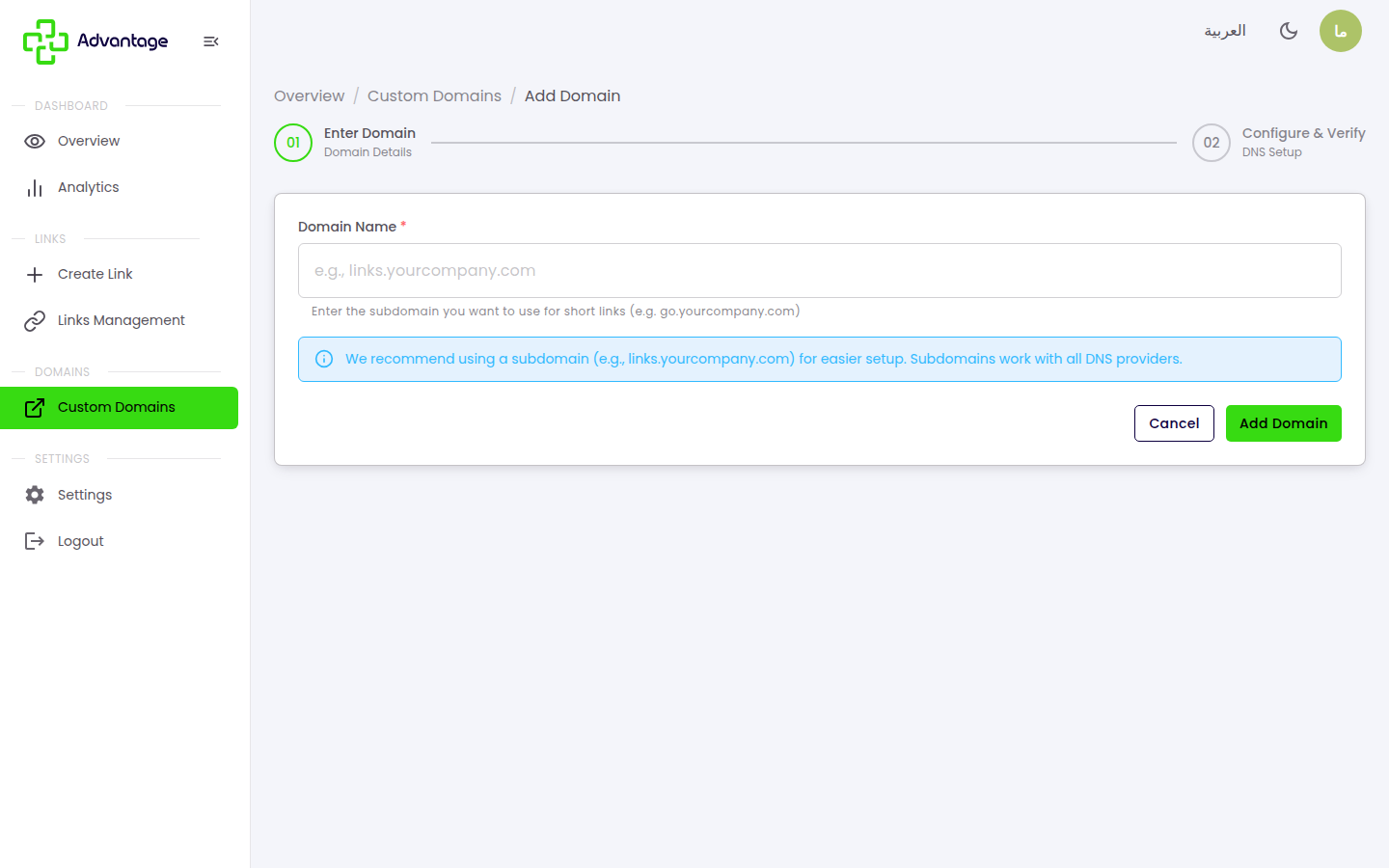
-
On Configure & Verify (DNS Setup), add the DNS record shown (for example, a CNAME or TXT record) at your domain provider, then wait for Advantage to verify it through Cloudflare. If the domain stays "pending" or fails, use the recheck / verify button to re-test the status. Once verified, the domain becomes available to pick when creating links.
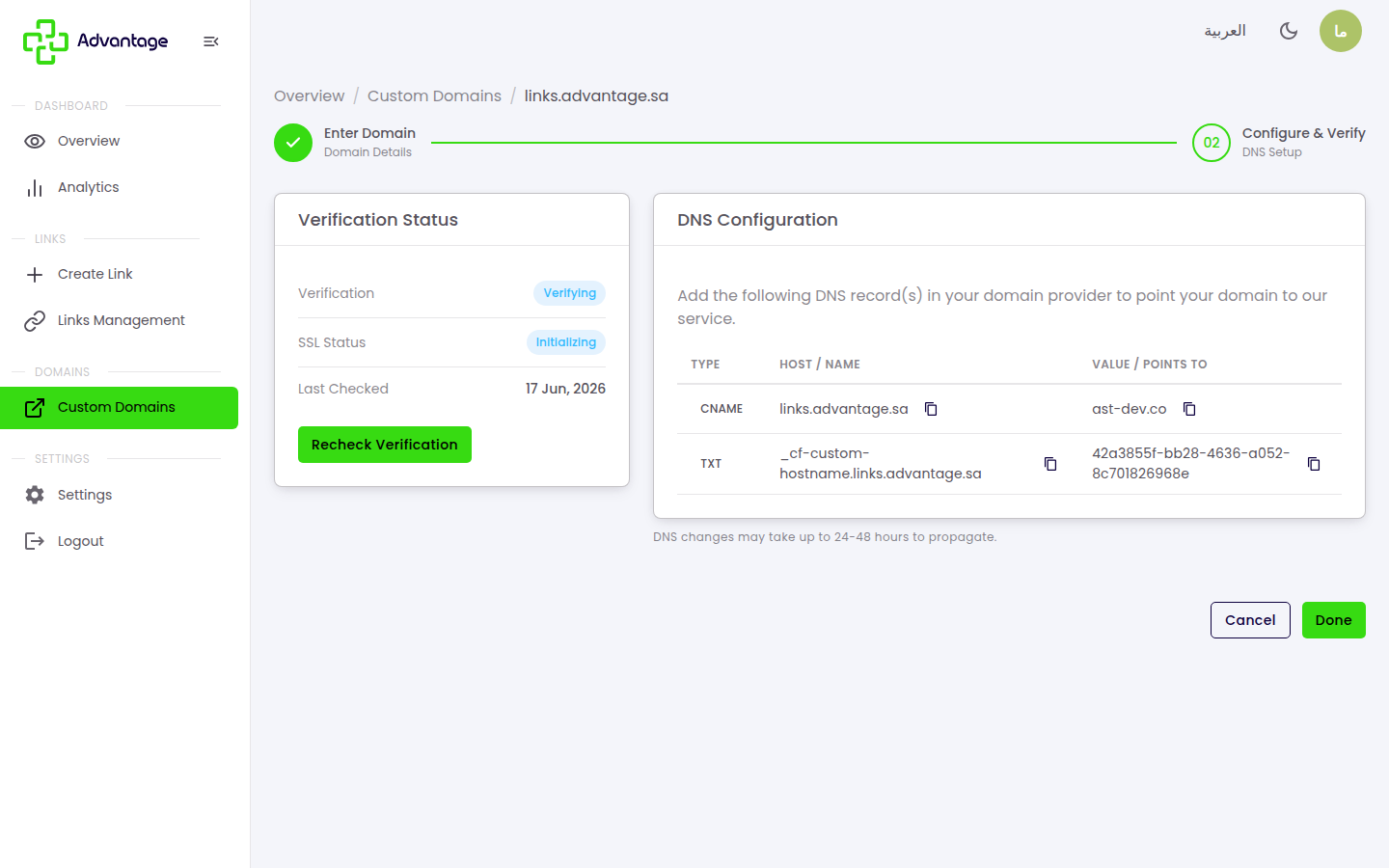
The number of custom domains you can add is capped by your plan's quota. Once you reach the quota, adding a new domain is blocked until you upgrade.
Good to know
What's the difference between a subdomain and an apex domain?
A subdomain is something like links.advantage.sa; an apex (root) domain is advantage.sa. A subdomain works with every DNS provider, which is why it's recommended.
How long does verification take, and what if it fails? It depends on DNS propagation — sometimes minutes, sometimes a few hours. A domain can stay "pending" or fail if the DNS record is wrong; fix the record, then press the recheck button to re-test.
What happens if I delete a domain? The links that used it become orphaned — they stop working because their domain is no longer available. Don't delete a domain unless you're sure no active links rely on it.
Tips & pitfalls
Tip: A short subdomain like
links.is easy to remember and share.
Warning: The domain only works for short links after verification succeeds — don't share links on it until it's verified.
Warning: Deleting a custom domain orphans every link created on it, and those links stop redirecting.
Next steps
- Create a normal link — to use your custom domain after it's verified.
- Managing links — to review the links on each domain.