Create a normal link
Overview
A normal (single-destination) short link sends everyone who opens it to one place. It's the quickest way to turn a long URL into a short, shareable one.
When to use it
- You want a short, tidy link for a single web page.
- You're sharing one destination across social, email, or print.
Before you start
- Have the destination URL ready to paste.
- Some tracking options (UTM tags, channels) may be locked depending on your plan.
Some tracking options are gated by your plan. UTM tags are small codes added to the end of a link to track where a visit came from (see Glossary) and require a plan that enables the feature, and Channels tracking also requires a plan that enables it — it may show "This feature is not available on your current plan — Upgrade now".
Step by step
Say you're promoting a noon.com Ramadan sale and want a branded, trackable link on the ast.sa domain.
-
Open Create Link and keep the Single Destination tab selected. Give the link a name ("Noon — Ramadan Sale"), then paste the destination URL (
https://www.noon.com/saudi-en/). Set a custom back-half ("noon-offers") so the link becomesast.sa/noon-offers, and turn on UTM Tracking — fill in Source =google, Medium =cpc, and Content =ramadan_banner(the Campaign name is taken automatically from the link name). Choose Create.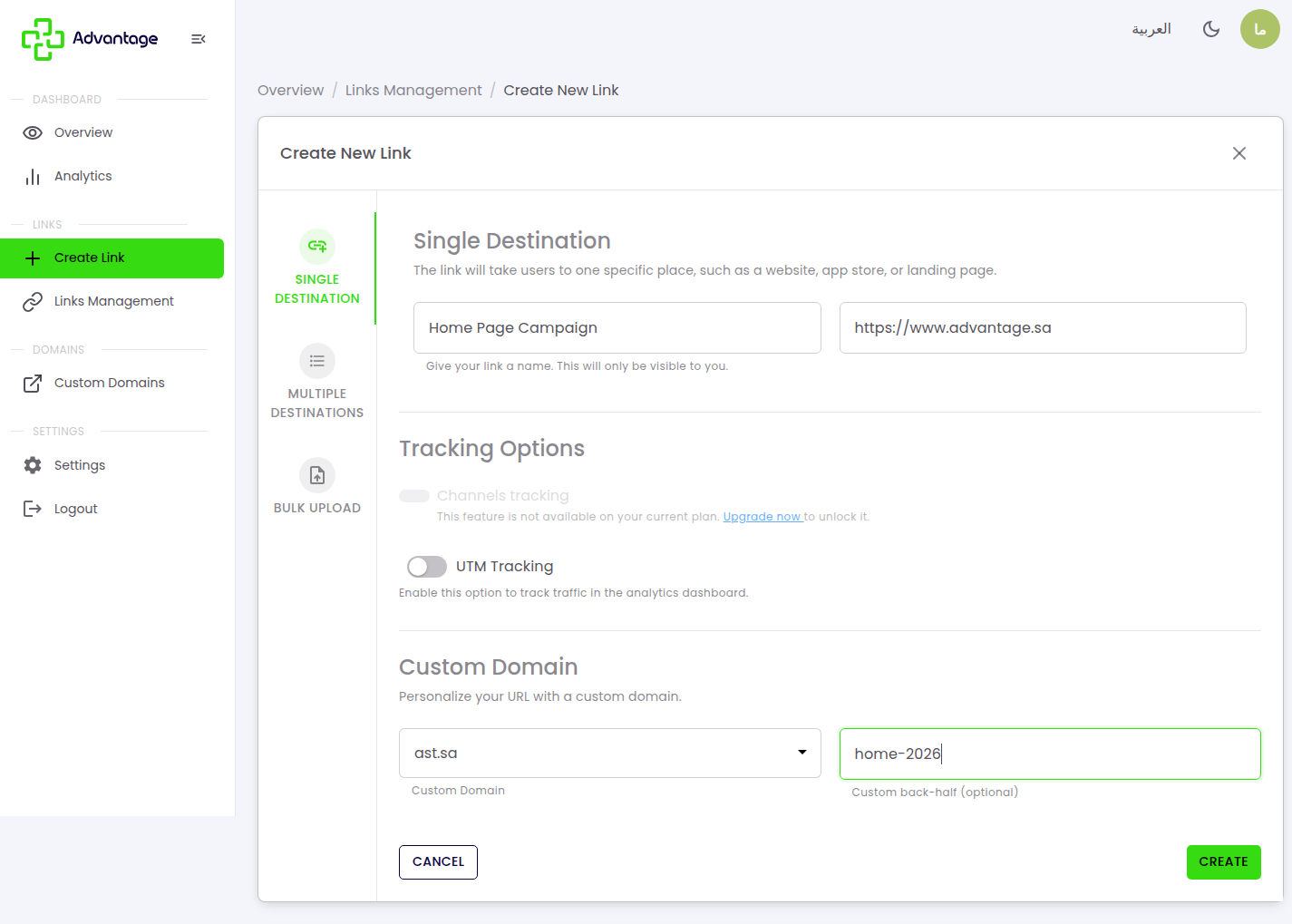
-
A success page confirms the link was created. It shows the short URL
ast.sa/noon-offers, its UTM parameters, and a QR-code card you can download and share.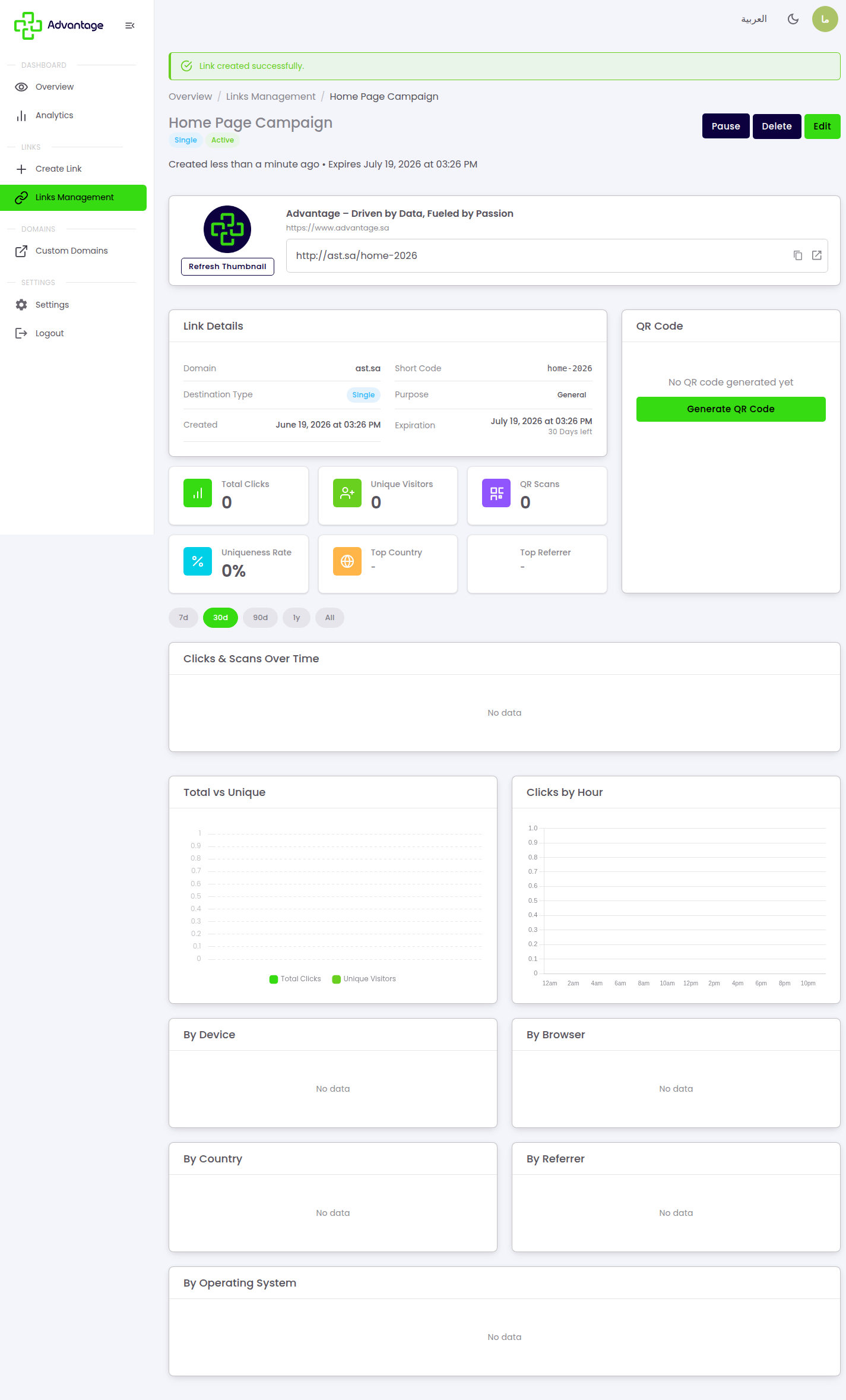
Good to know
What's a back-half?
It's the custom code after the domain — for example, the noon-offers in ast.sa/noon-offers. A clear back-half makes the link easier to recognize and share.
What do UTM parameters do? UTM tags are small codes added to the end of a link to track where a visit came from, so you can see which source and campaign drove each click. The values you set (source, medium, content, campaign) show up later in Analytics. (See Glossary.)
Why is the campaign name filled in automatically? The campaign value is taken from the link name — so "Noon — Ramadan Sale" becomes your campaign label without retyping it.
When does a link expire? A link expires 1 month (30 days) after creation by default, capped by your plan. You can change the length later via Edit → expiry date in Managing links.
Why is Channels tracking locked? Channels tracking requires a plan that enables it. It stays locked unless your plan includes it; upgrading your plan unlocks it.
Tips & pitfalls
Tip: Reuse consistent UTM values across a campaign (same source, medium, and campaign name) so your Analytics group cleanly.
Warning: A back-half must be unique on its domain — if it's already taken, pick a different one.
Next steps
- Create a smart link — if you need multiple destinations.
- QR codes — to generate a QR code for your link.