Subscription & billing
Overview
Review your plan for each module, see its features, add-ons, and usage, and track your payments and invoices.
When to use it
- You want to upgrade or downgrade your plan, or add quota or a feature.
- You want to review your payments or download an invoice.
The Subscription & billing area is owner-only. Editing organization/billing details is owner or admin, and team & tag management is admin or owner.
Before you start
- You need a role that allows managing the subscription (Owner).
- Each module is subscribed separately, so pick the tab for the module you want to review.
Step by step
-
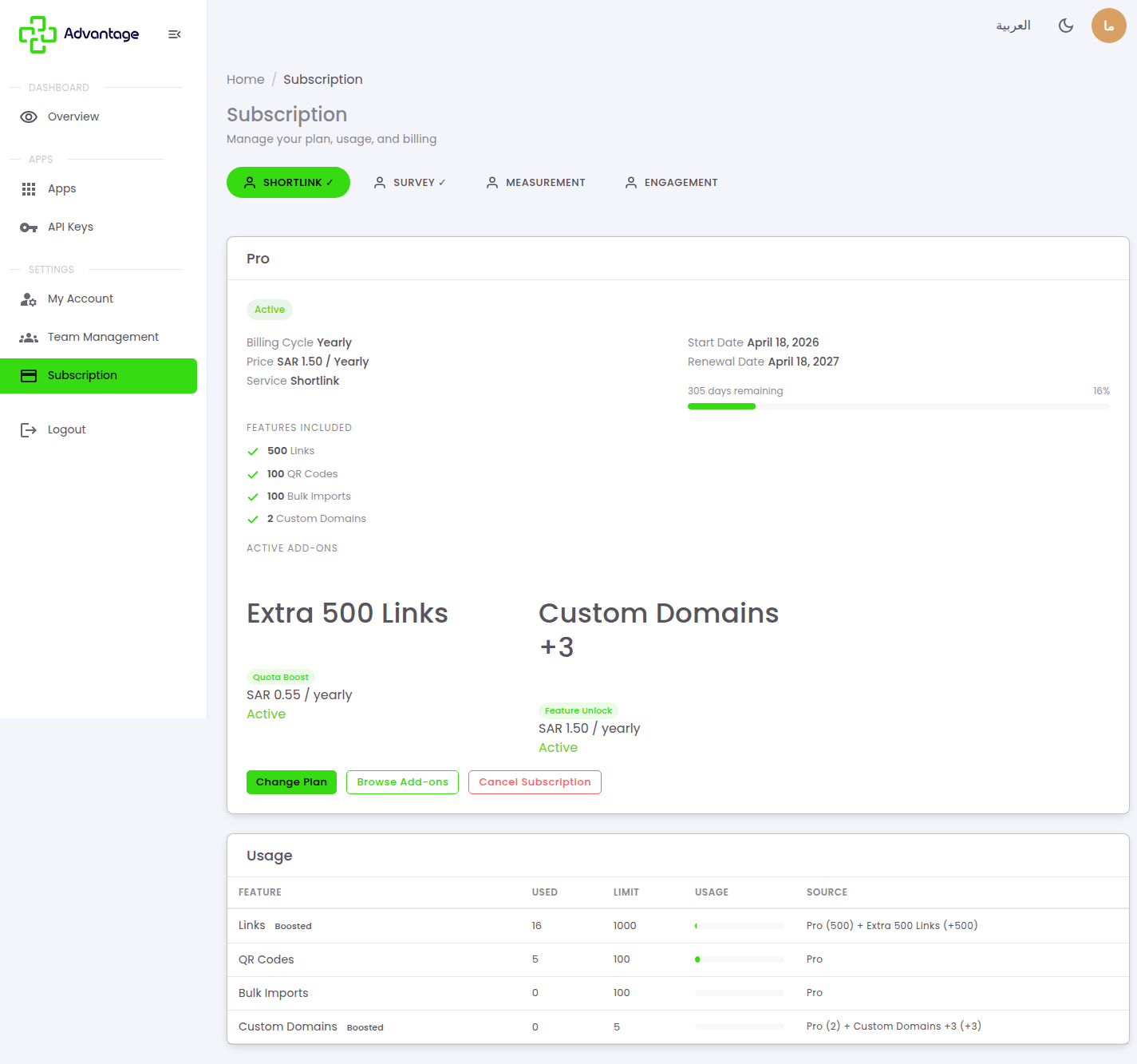
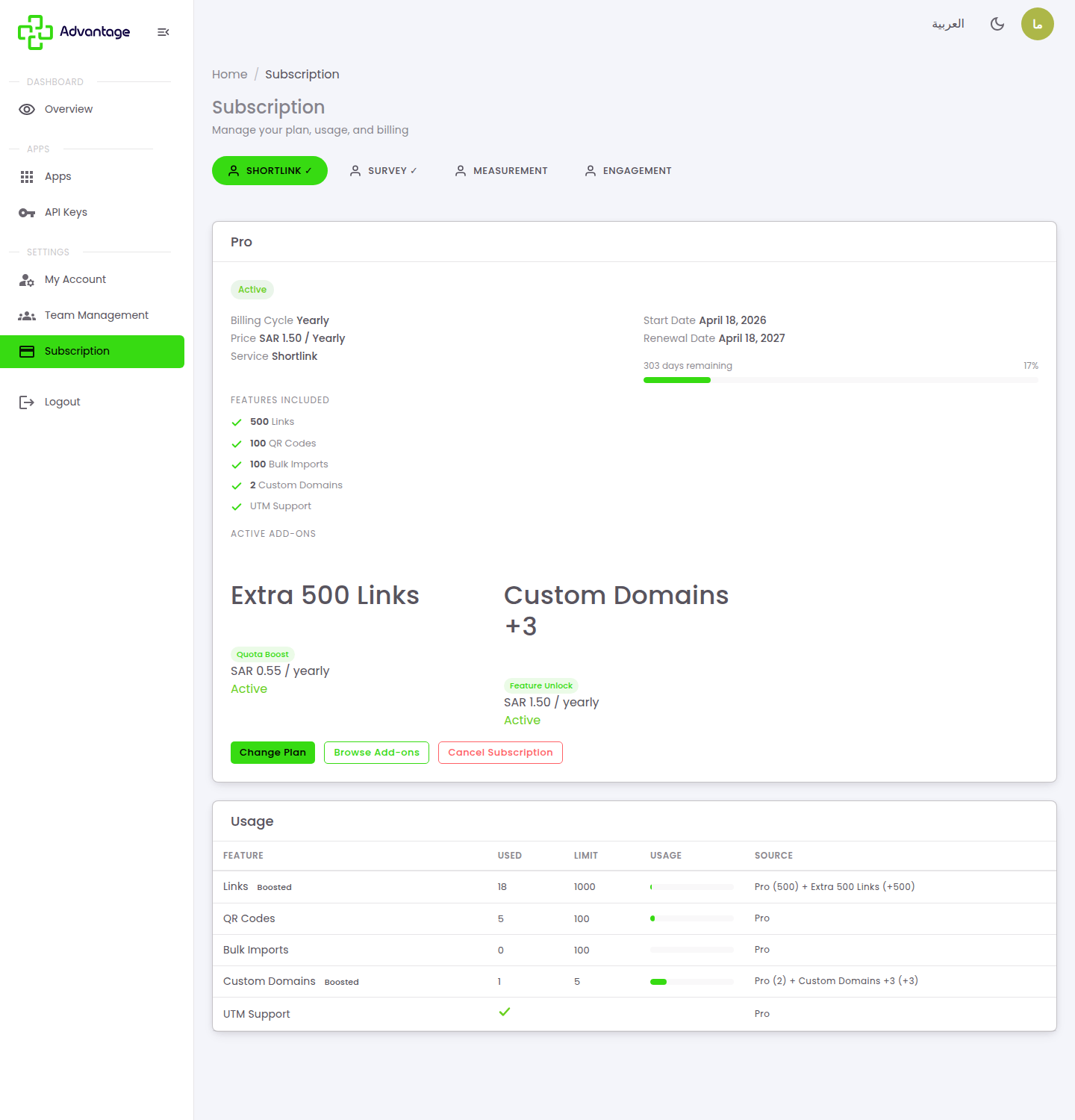
Open Subscription from the sidebar and pick a module tab (such as Shortlink or Survey). The current-plan card shows the plan name (Pro), its status (Active), the billing cycle (Yearly), the price in SAR, the start and renewal dates with days remaining, plus Features included, Active add-ons, and a Usage table (Used / Limit / Source). Choose Change Plan to upgrade or downgrade, or Browse Add-ons to add quota or a feature.
-
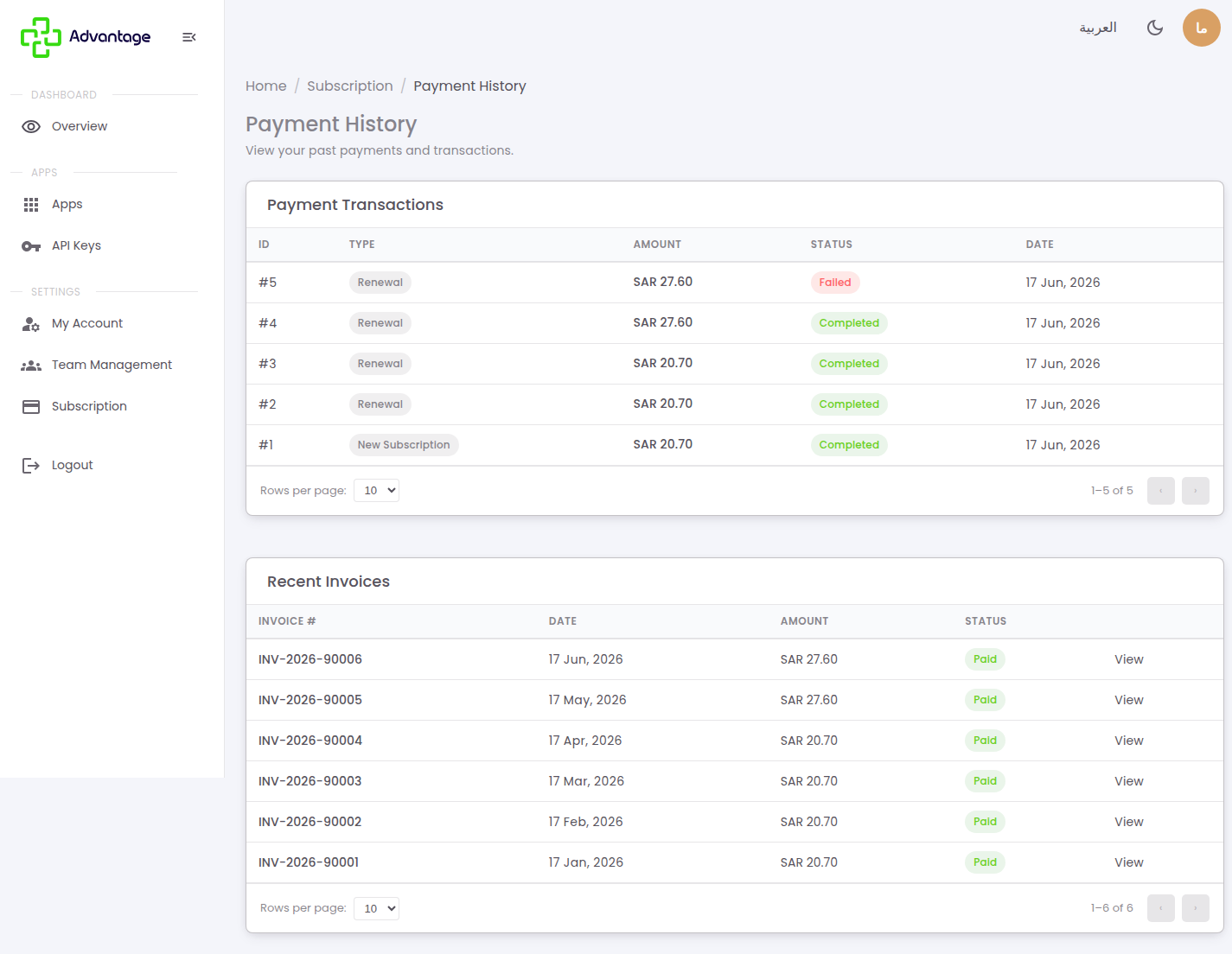
Open Payment History (Subscription → Payment History). The Payment Transactions table shows the ID, type, amount, status (Completed / Failed), and date, while the Recent Invoices table shows the invoice number, date, amount, and status with a button to view and download.
Subscription states
What you experience depends on the module's subscription state:
- No subscription (locked): the engine or feature is locked, and you're prompted to choose a plan to start.
- Grace period (3 days): if a renewal fails or the end date is reached, you get 3 days of full access (not read-only) while the system keeps retrying the payment automatically.
- Expired (read-only): after the grace period ends, your existing data stays viewable, but editing is blocked with a "Renew to make changes" prompt. Renew to restore full access.
- Trial / bypass: trial access works just like a paid plan for its duration (enabled by the Advantage team).
- Quota exceeded: the action (such as creating more links) is blocked until you upgrade, add capacity, or the next cycle starts.
Add capacity or a feature (add-ons)
When you need more than your plan includes — such as extra links, QR codes, or custom domains — add an add-on instead of upgrading your whole plan.
-
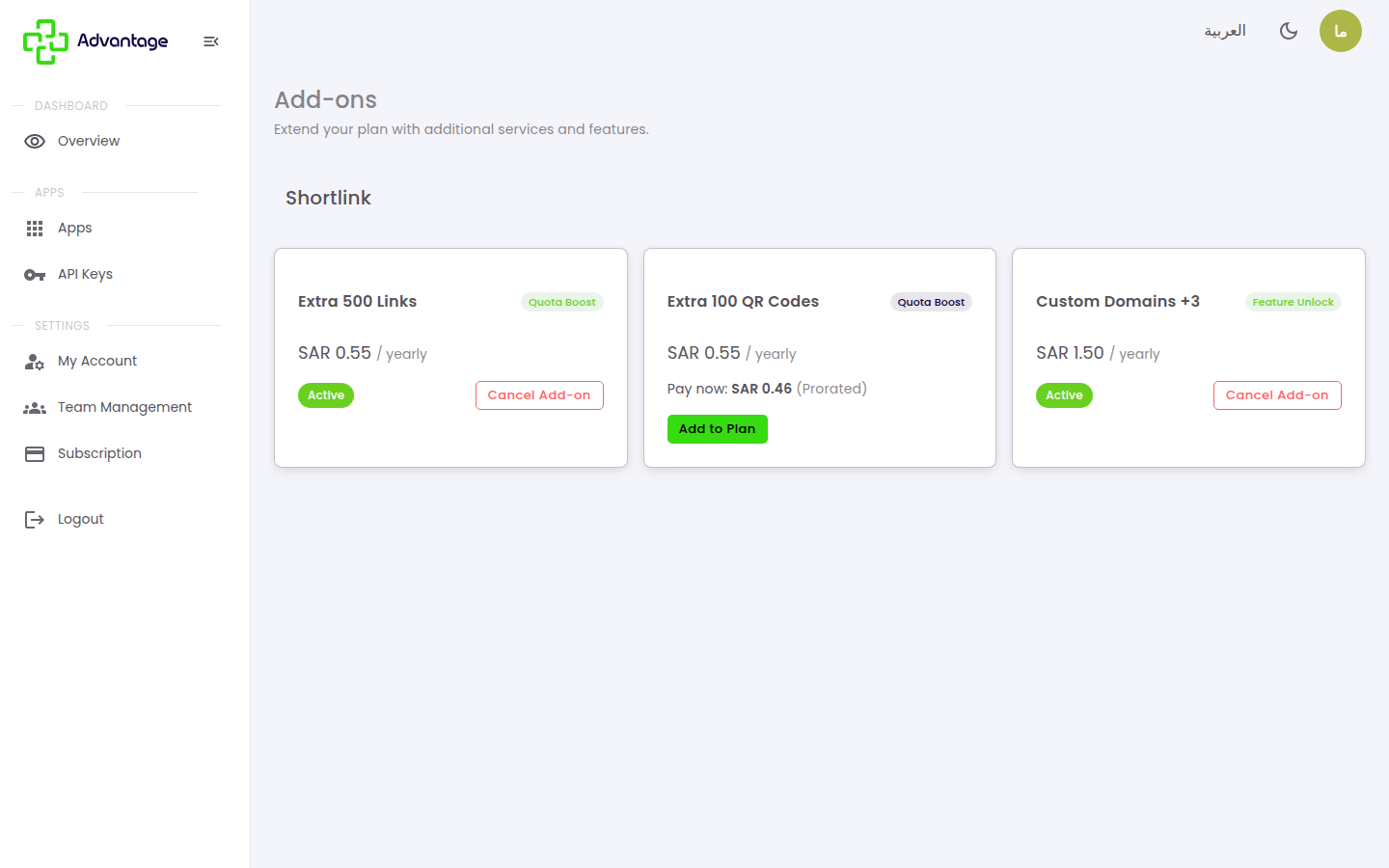
On the Subscription page, choose the module tab, then click Browse add-ons. Each card shows the add-on, its type (Quota Boost to raise a limit, or Feature Unlock to enable a feature), and its price. Add-ons you already own show an Active badge, and the Usage table reflects the boosted limits.
-
Pick the add-on you need (for example Extra 500 Links to raise your link count) and click Add to plan. Note that the "Pay now" amount is prorated — calculated for the time left in your current billing cycle — so the add-on lines up with your plan's renewal date. After payment the capacity is active immediately and appears in the Usage table as a Boosted limit.
At each renewal the add-on is charged at its full price alongside the plan. To remove an add-on, click Cancel add-on on the same page.
Billing policy
- No cash refunds. All payments are final. A downgrade instead generates account credit toward your next cycle (not a cash refund).
- Cancel: turns off auto-renew, and you keep full access until your renewal date, after which the subscription becomes expired (read-only). You can reactivate any time before it expires, at no charge.
- Upgrade: takes effect immediately after payment; the higher limits and features apply right away.
- Downgrade: takes effect immediately, with no payment; the prorated price difference is added to your account credit to offset your next invoice. Data above the new limit isn't deleted, but you can't create more beyond it.
- Billing cycle (monthly ↔ yearly): chosen when you subscribe. To switch between monthly and yearly, contact support.
- VAT: 15% VAT is added to all payments, and an invoice is generated for every transaction — downloadable from Payment history.
- Payment & renewal: payments go through MyFatoorah, and your card is saved for auto-renewal. No subscription is created or changed until the payment is confirmed.
Good to know
Is each module subscribed separately? Yes, each module has its own tab and its own subscription.
What do add-ons do? They either boost a quota or unlock a new feature — rows marked "Boosted" in the usage table show the higher limit.
Where do I find failed payments? They appear in the payment transactions list so you can retry.
What happens when I cancel? Renewal stops, but you keep access until the end of the current period.
Tips & pitfalls
Tip: Yearly billing is cheaper than monthly.
Warning: Download your invoices for your accounting; cancelling at period end removes access to that module.
Next steps
To invite your team or set roles, head to Organization & team.