Password help
Overview
Forgot your password? Reset it from the login page — Advantage emails you a link to set a new one.
When to use it
- You can't sign in because you don't remember your password.
- You want to change your password proactively for security.
Before you start
- Access to the inbox of the email address on your account.
Step by step
-
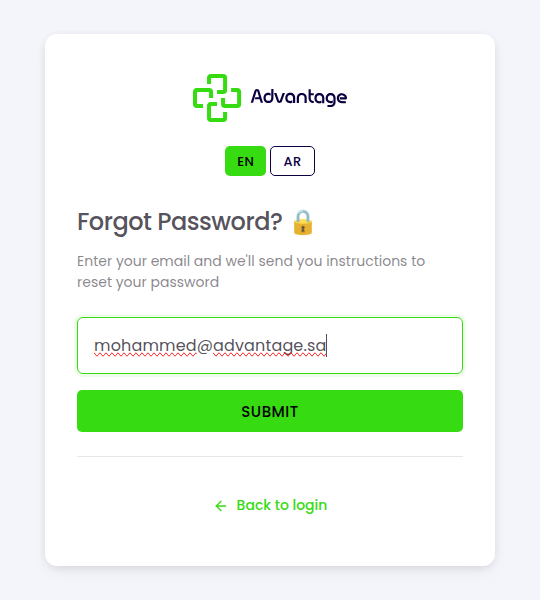
On the login page, choose Forgot password?. Enter the email for your account and choose Submit. Advantage sends a reset link to that address.
-
Open the email and follow the reset link, then set and confirm your new password. You can now sign in with it.
Good to know
I didn't get the email — what now? Check your spam folder, confirm you typed the right address, and wait a minute before trying again. The address must match an existing account.
The reset link doesn't work / says expired. The reset link expires after about 6 hours for security. Request a new one from Forgot password? and use it promptly.
Can I change my password while signed in? Yes — from your profile, on the Security tab. This page is specifically for when you can't log in.
Tips & pitfalls
Tip: After resetting, sign in once with the new password to confirm it works before closing the tab.
Warning: The reset link expires after about 6 hours — request it only when you're ready to use it soon.
Next steps
After resetting, return to Logging in with your new password.