Logging in
Overview
Sign in with your email and password to reach your dashboard and every module included in your plan.
When to use it
- You're returning to Advantage and want to open your dashboard, links, or surveys.
- A teammate invited you and you've set a password — now you're signing in for the first time.
Before you start
- You need an Advantage account. If you don't have one yet, ask your organization admin for an invitation, or use Create an account on the login page.
- One sign-in covers everything: logging in once gives you access to all modules your plan includes (Shortlink, Survey, and more).
Step by step
-
Open the login page at
auth.lvh.me(or the address your team shared). Enter your email and password, then choose Login. Tick Remember me if you're on your own device and want to stay signed in.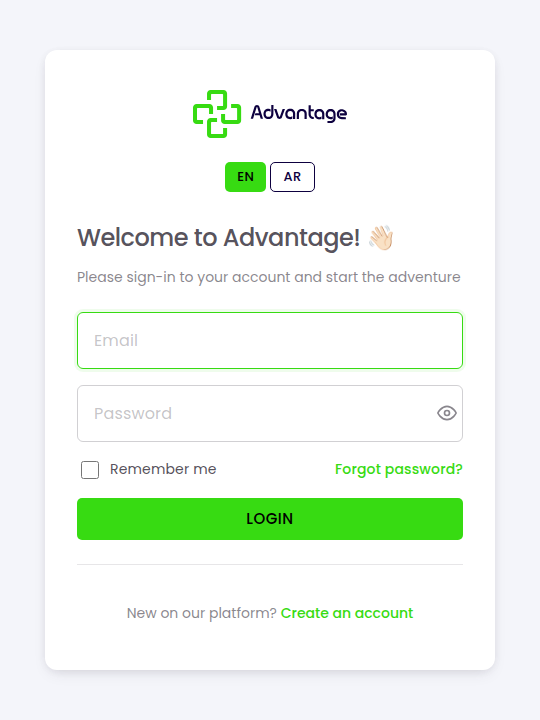
After you sign in, you land on the Overview dashboard. From there you can open any module included in your plan.
Good to know
I forgot my password — what do I do? Choose Forgot password? on the login page and follow the email instructions to set a new one. See Password help.
What happens after several failed attempts? After 5 consecutive failed attempts your account is temporarily locked for security. On the attempt just before lock-out (the 5th attempt) you'll see a warning that one more wrong try will lock the account. The account unlocks automatically after 2 minutes with no action needed — just wait and try again.
You'll also receive an email notifying you of the lock, with an "Unlock my account" button to unlock it immediately. Or you can simply wait 2 minutes for it to unlock automatically — whichever comes first.
Do I need a separate login for Shortlink or Survey? No. Advantage uses single sign-on — one login works across every module.
Can I change the language of the login page? Yes. Use the EN / AR switch. Arabic is the default.
Tips & pitfalls
Tip: On a shared or public computer, leave Remember me unticked and sign out when you're done.
Warning: After 5 consecutive failed attempts your account is temporarily locked for 2 minutes — use Password help rather than guessing.
A temporary 5-attempt lock is different from an account an admin has set to inactive. An inactive account can't log in at all and won't unlock on its own. The fix is to contact your organization owner or admin.
If you haven't confirmed your email address, you can't log in. Click the confirmation link in the email you got when registering, or request a new one from the login page. See Registration.
Next steps
After signing in, learn about the Overview to open your modules.